

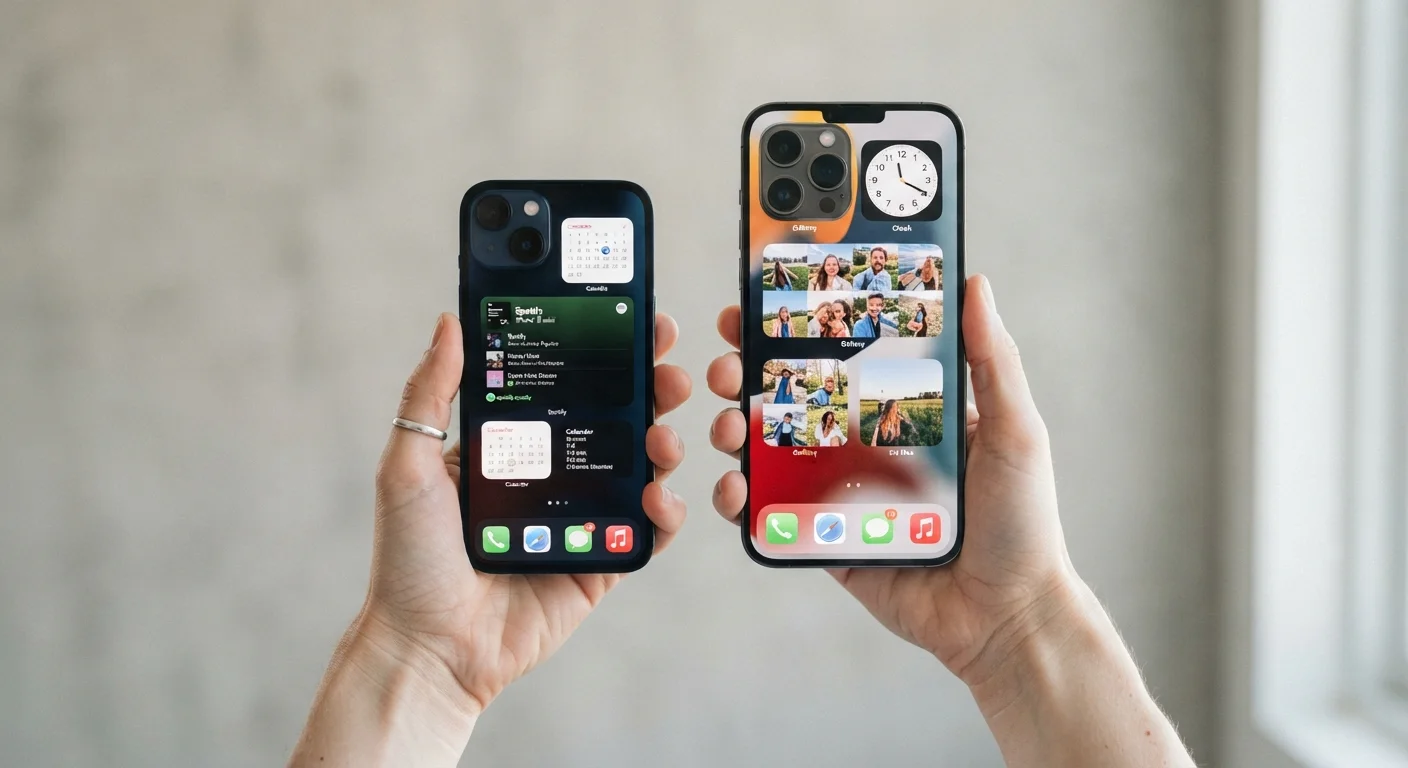
Key Takeaways
- Smaller phones are easier to use one-handed and fit more comfortably in pockets.
- Larger screens give more room for reading, video, and on-screen keyboards.
- Battery life often favors larger phones because they have room for a bigger battery.
- Screen size affects more than comfort: it changes how well you can read, type, and multitask.
- Your daily habits, such as how much you read or watch video, should guide the decision.
Easy to use with one hand
A smaller phone lets most adults reach the full screen with one thumb, which matters when your other hand is occupied with keys, a bag, or a coffee cup.
Fits standard pockets without bulging
Compact phones slip into jeans or shirt pockets without discomfort. Larger phones regularly require a bag or create visible bulk in clothing.
Less strain during long calls
Holding a lighter, narrower phone against your ear or shoulder for an extended call is physically easier than supporting a heavier, wider device.
Harder to accidentally tap the wrong element
This sounds counterintuitive, but a smaller screen held closer forces tighter focus; users who hold their phone at reading distance often find they interact more deliberately.
On-screen keyboard is cramped
Smaller keys mean more typos and slower input, especially for people with larger fingers or anyone who types long messages frequently.
Reading and video feel constrained
Articles, spreadsheets, and video all benefit from more screen real estate. On a small display, users zoom in more often and scroll more to see the same content.
Battery capacity is typically smaller
Physical size limits how large a battery the manufacturer can fit. Compact phones generally have smaller batteries and may need charging more often under heavy use.
Harder to use accessibility text-size features
Enlarging text or UI elements on a small screen can cause content to overflow or hide behind edges, reducing the benefit of those settings. See built-in accessibility options for what to expect.
Our Verdict
Neither screen size is objectively better. Smaller phones suit people who prioritize portability, one-handed use, and a lighter device. Larger screens serve people who spend significant time reading, watching video, or working with documents on their phone.
Anyone deciding between phone sizes based on how they actually use their phone day to day, not marketing specs.
What screen size actually changes about daily use
Phone screen size is measured diagonally in inches, corner to corner. That number affects four things most people notice quickly: how the phone fits in your hand, how much content you can see without scrolling, how easy typing is, and how long the battery lasts.
Most phones sold today have screens between 6.1 and 6.9 inches. True compact phones, generally under 6 inches, have become less common as manufacturers have moved toward larger defaults. That shift means anyone who wants a smaller phone may have fewer options to choose from.
The trade-offs below apply whether you are choosing a new phone or trying to understand why your current one does or does not suit you. If you also want to understand how your phone's software can help you adapt to any screen size, the guide to built-in accessibility features covers tools available on both platforms.
Screen size and display resolution are different things
A physically smaller screen is not automatically lower quality. Display sharpness (measured in pixels per inch) depends on resolution, not just size. A compact phone can have a crisp, high-resolution screen; a large phone can have a mediocre one. When comparing phones, look at both dimensions separately.
Advantages of a smaller screen
Compact phones have real, practical strengths that larger devices cannot replicate.
Easy to use with one hand
A smaller phone lets most adults reach the full screen with one thumb, which matters when your other hand is occupied with keys, a bag, or a coffee cup.
Fits standard pockets without bulging
Compact phones slip into jeans or shirt pockets without discomfort. Larger phones regularly require a bag or create visible bulk in clothing.
Less strain during long calls
Holding a lighter, narrower phone against your ear or shoulder for an extended call is physically easier than supporting a heavier, wider device.
Harder to accidentally tap the wrong element
This sounds counterintuitive, but a smaller screen held closer forces tighter focus; users who hold their phone at reading distance often find they interact more deliberately.
These advantages matter most to people who are often on the move, work in environments where a large phone is inconvenient, or simply prefer handling a lighter device throughout the day.
Disadvantages of a smaller screen
A smaller screen does involve genuine compromises, and they are worth knowing before you commit.
On-screen keyboard is cramped
Smaller keys mean more typos and slower input, especially for people with larger fingers or anyone who types long messages frequently.
Reading and video feel constrained
Articles, spreadsheets, and video all benefit from more screen real estate. On a small display, users zoom in more often and scroll more to see the same content.
Battery capacity is typically smaller
Physical size limits how large a battery the manufacturer can fit. Compact phones generally have smaller batteries and may need charging more often under heavy use.
Harder to use accessibility text-size features
Enlarging text or UI elements on a small screen can cause content to overflow or hide behind edges, reducing the benefit of those settings. See built-in accessibility options for what to expect.
For people who rely on their phone for reading long articles, reviewing documents, or watching video, these limitations add up quickly. If you use your phone as a productivity tool, a larger display can reduce friction considerably. The complete guide to using your smartphone for productivity explains which tasks benefit most from extra screen space.
How to decide what size works for you
The most reliable way to figure out the right size is to look at how you actually use your phone, not how you think you use it. Screen time tools on both Android and iOS can show which apps you open most. If your top categories are messaging, calls, and podcasts, a smaller phone will probably serve you well. If they are reading apps, video, or anything that involves looking at text-heavy content, a larger screen will reduce daily friction.
Physical try-outs also help. Holding a phone in a store for two minutes is not the same as carrying it in your pocket for a week, but it gives a baseline sense of grip and reach. Pay attention to whether your thumb can reach the far corner without shifting your grip, and whether the phone sits comfortably in the pocket you plan to use most.
For those concerned about cost differences between size options, those decisions involve broader financial trade-offs worth thinking through carefully. General guidance on everyday money decisions can help frame those choices.