

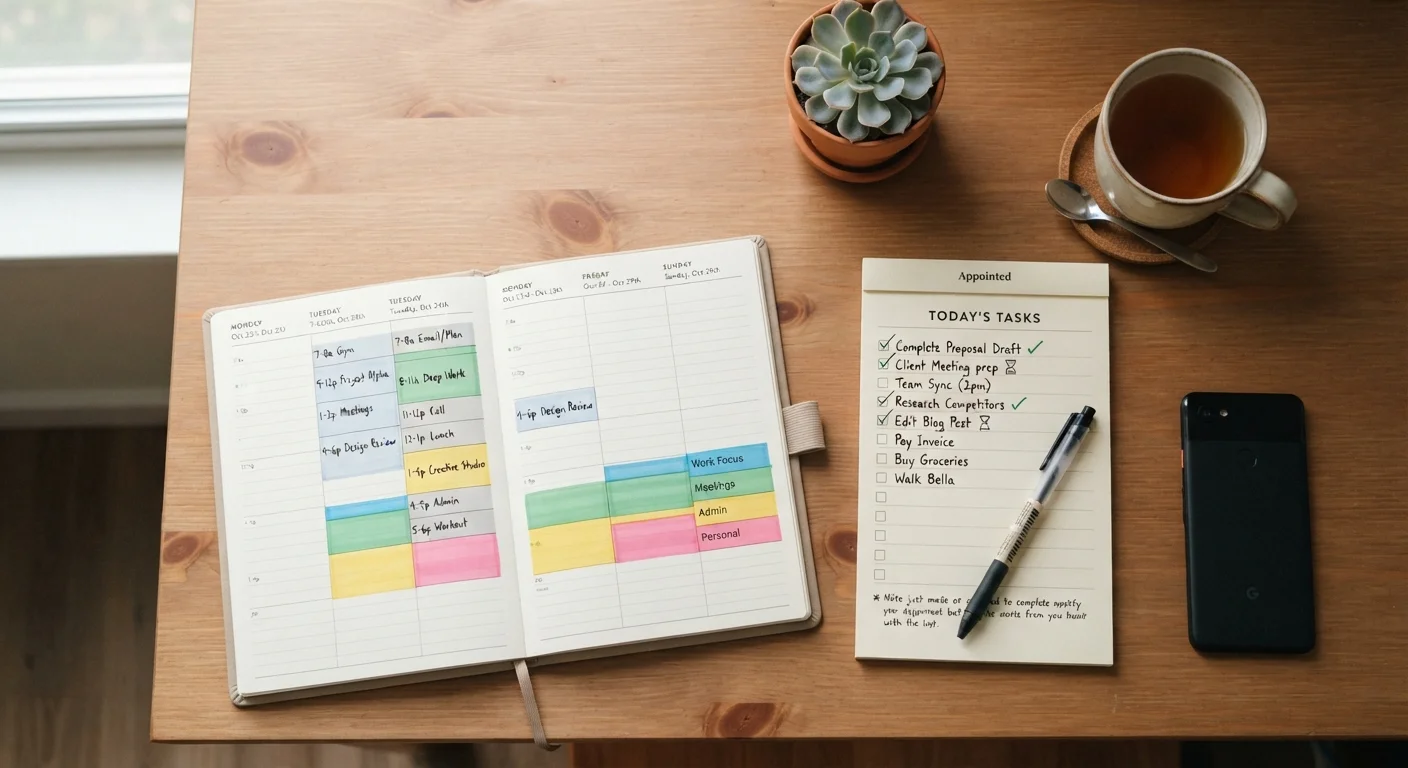
Key Takeaways
- Time blocking gives tasks a specific place in your day, which reduces decision fatigue about what to work on next.
- To-do lists are faster to maintain but give no protection against overbooking or constant context-switching.
- The two methods work well together: a to-do list feeds tasks into a time-blocked calendar.
- Neither approach works without a realistic estimate of how long tasks actually take.
- Your work environment, including meeting load and autonomy over your schedule, affects which method is practical.
Option A
Time blocking
A scheduling method that assigns every task a fixed time slot on your calendar.
Best for: People who juggle multiple projects and need to protect focused work time from interruptions.
Option B
To-do lists
A flexible capture system that records tasks without specifying when they will happen.
Best for: People with variable daily demands who need a simple way to track what still needs doing.
If you have deep-work projects that need uninterrupted focus
Time blocking
Reserving calendar blocks for concentrated work makes it harder for meetings and ad-hoc requests to consume your entire day.
If your daily priorities shift frequently and unpredictably
To-do lists
A flexible task list lets you reprioritize in real time without rebuilding your whole schedule.
If you consistently reach end of day with important tasks untouched
Time blocking
Attaching a task to a specific time slot increases the chance it gets started, not just written down.
If you are new to tracking your work and want low overhead
To-do lists
A simple list requires no setup time and can be started immediately without learning a new system.
If you want to use both methods
Time blocking
Capture tasks on a running list throughout the week, then schedule them into calendar blocks during a brief daily planning session.
What each method actually does
A to-do list is a record of tasks you intend to complete. It tells you what needs doing but says nothing about when. Most people keep a running list and work through it based on urgency, habit, or whatever catches their eye first.
Time blocking assigns tasks to specific windows on a calendar. Instead of a list that grows throughout the week, you end each planning session with a schedule that shows where each task fits. Cal Newport, a computer science professor who writes about deep work, has described time blocking as a way to make deliberate decisions about time in advance rather than reacting to whatever arrives. The core idea is that a task without a time slot is a wish, not a commitment.
Both methods solve a real problem. To-do lists prevent forgetting. Time blocking prevents the day from filling up with lower-priority work while important tasks sit untouched. Research on workplace productivity suggests that unplanned, reactive work is one of the main reasons people feel busy without making progress on meaningful tasks.
Where each method breaks down
| Criterion | Time blocking | To-do lists |
|---|---|---|
| Planning time required | Higher, daily or weekly scheduling | Low, just add tasks as needed |
| Flexibility during the day | Lower, disruptions break the plan | Higher, easy to reprioritize |
| Protection for deep work | Strong, blocks can be defended | Weak, no time is reserved |
| Risk of overcommitting | Medium, visible if calendar fills up | High, list length is not a limit |
| Setup complexity | Moderate, requires calendar access | Minimal, paper or any app works |
To-do lists fail when they become too long to act on. A list of 30 items gives no guidance on sequencing, and when everything looks equally urgent, people tend to pick the fastest or most familiar tasks first. High-effort, high-value work gets deferred.
Time blocking has a different failure mode: it assumes your time estimates are accurate. If you schedule 90 minutes for a task that takes three hours, the rest of your day collapses. People who are new to the method often under-schedule and then abandon it after a frustrating week. It also requires enough control over your calendar to protect blocks, which is harder in roles with heavy meeting loads or where a manager books your time without notice.
Both methods share one limitation: neither one tells you what matters most. Prioritization is a separate skill. A well-maintained to-do list full of low-impact tasks is no better than a tightly blocked calendar spent on busywork. If you find yourself productive but not moving toward your actual goals, the method is not the problem. Negotiating deadlines and workload with your manager is often more useful than switching productivity systems.
How to combine them
The most practical approach treats these as two stages of one workflow, not competing alternatives.
First, capture tasks on a running list as they come in. Do not try to schedule them on the spot. This keeps the capture process fast and prevents your calendar from filling with reactive bookings throughout the day.
Second, once daily or weekly, move tasks from the list into calendar blocks. Assign each block a realistic duration based on past experience with similar work. Leave buffer time between blocks; back-to-back scheduling is a common reason time blocking feels rigid and brittle.
This combination gives you the flexibility of a list for capturing work and the commitment structure of time blocking for doing it. The same logic applies in other planning contexts. Building a weekly schedule for any recurring commitment works better when you write down what you want to do and then find a specific time slot for it, rather than doing either step alone.
One practical note: review your list at the start of each week and cut tasks that have sat untouched for two or more weeks. Either schedule them or remove them. A list that no longer reflects real intentions just adds noise.